 benjamin805
Sep 18, 2014
benjamin805
Sep 18, 2014
On this page you will find demos and program I have created as I learn about
working with graphics with Liberty BASIC.
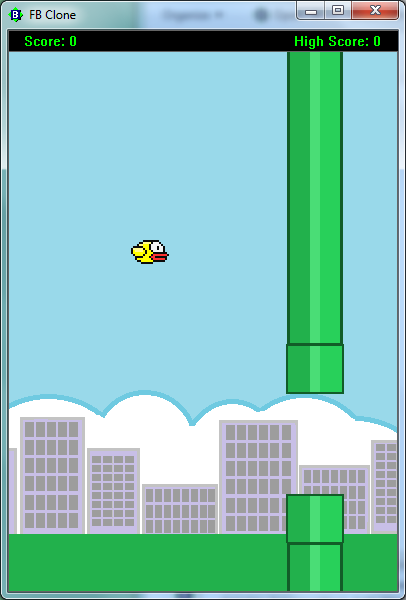
Flappy Clone- Fly your bird through the pips for as long as you can!
This is a clone of the popular IOS and Android app created by
Dong Nguyen.


Scale2X Algorithm
Sample Image scaled 8x using Scale2X Algorithm. This was done in Liberty BASIC. I am going to add this to Pixel Artist after i tweak it a bit.
First picture is normal 8x scaling. Second picture is scaled using scale2x 8x scaling

I created it so that I can make simple graphics for my games. I wanted to share it
so that maybe someone else who just wants something that's quick an simple to
use might find it useful. If you have time, please let me know
of what you think this program might need or could use. Thanks.
Here are some snaps of things I've created with it. They are simple but interesting.

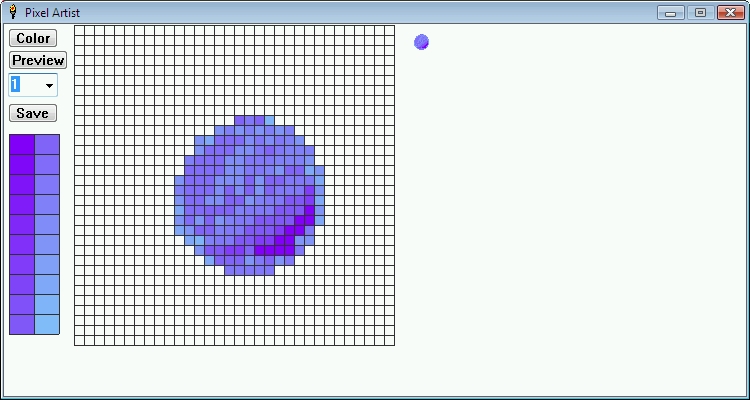
This next two are from my first version I was working on.
Download the source code below.

This first version is basic.
I will post more advanced uses as I have time.
I want to share a program I am working on, I would like to post information about it here.
I am developing a small game, simple design, but since I need more programming experience anything I develop just helps give me more skill in my favorite past time. Ok, so I'm developing this game I call Color Match (the name for now, may change later). All you have to do in this game is match up 3 or more of the same color to earn points. Sounds easy huh, the catch is that the game board consist of 5 rings of colored circles that can be turned independently of each other. So instead of swapping two game pieces like in most other matching games this game requires that you rotate the rings in order to match up colors. As you progress through each level, the difficulty of the game increases as the game adds more colors to the game board. After a few levels it becomes more difficult to match up colors. You may notice that any color circles on the outer most rings will fall inward as you match up colors of the inner rings. This is by design. I thought it would make it more fun. I hope some find this game amusing and offer up some thoughts about how I may improve this game.
Please post any comments or suggestions here. http://basic.wikispaces.com/message/list/Ben+Jimenez


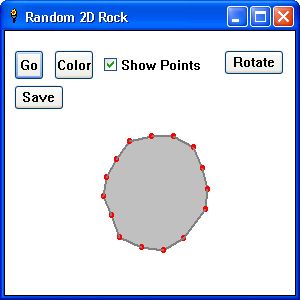
Random 2D Rocks
You can make random shaped 2D rocks and rotate them. You can also save them to use in your
games.
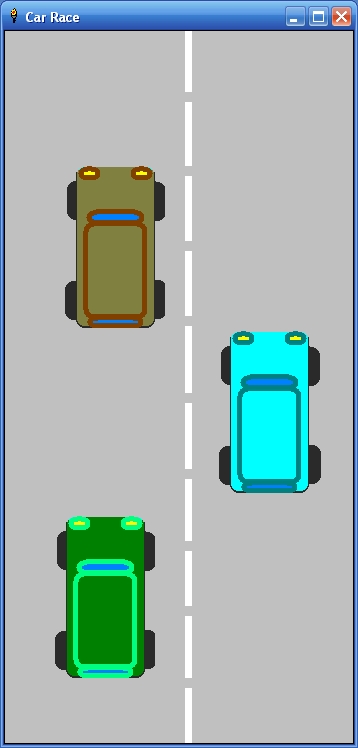
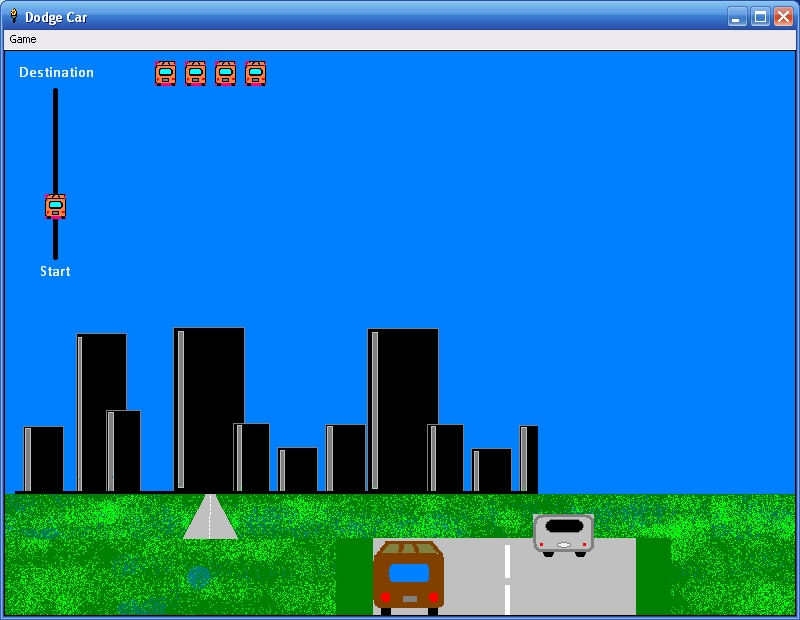
Use your mouse or joystick to control your car. Try to stay on the road and dodge cars as you drive to your destination.
Just wanted to share a simple one level game that shows a simple way to create walls/borders in your 2d game. The game has only 1 level, but it shouldn't be too hard to add more. I want to make another version using sprites, but time will determine that (free time that is).
I created this game to show an easy way to create borders or walls for your 2D games in BASIC. This game only has one level, but it should not be too hard to create more. I want to create a version using sprites, since the sprites commands do not have an easy way to create walls for your games I am attempting to come up with something that will work for me. I'd like to share what I come up with. I know this is very basic, but it's just a starting point. With the sprite version I want to try to add a more fluent movement to the sprite.
Note: Now updated so you can use your arrow keys to move the player
working with graphics with Liberty BASIC.
| Decription | Link |
| Car Race: Race your car and avoid traffic. | Car Race |
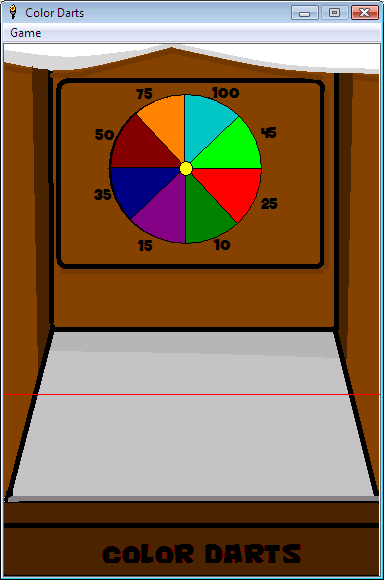
| Darts: Throw darts and earn points. | Darts |
| Scale2X: Example of using the Scale2X algorithm | Scale2X |
| Pixel Artist: Basic program to create pixel art | Pixel Artist |
| Bitmap Rotate Tool: Rotate Bitmap with API calls | Bitmap RT |
| Test Drive: Drive a car around the screen with rotation | Test Drive |
| Color Match: Align the same color circles to score points | Color Wheel |
| Color Match DirectX: Same as above but using DirectX and graphics | CW DirectX |
| Random 2D Rocks: I came up with a way to create random shaped 2D rock shapes | 2D Rocks |
| Car Dodge: Try to stay on the road and dodge cars. | Car Dodge |
| Flappy Bird Clone | Flappy |
| 2D Maze Game | basic/Ben Jimenez |
Flappy Clone- Fly your bird through the pips for as long as you can!
This is a clone of the popular IOS and Android app created by
Dong Nguyen.
Car Race
Race your car, but don't crash! Color Darts
Use your mouse to throw darts and score points! Scale2X Algorithm
Sample Image scaled 8x using Scale2X Algorithm. This was done in Liberty BASIC. I am going to add this to Pixel Artist after i tweak it a bit.
First picture is normal 8x scaling. Second picture is scaled using scale2x 8x scaling
Pixel Artist
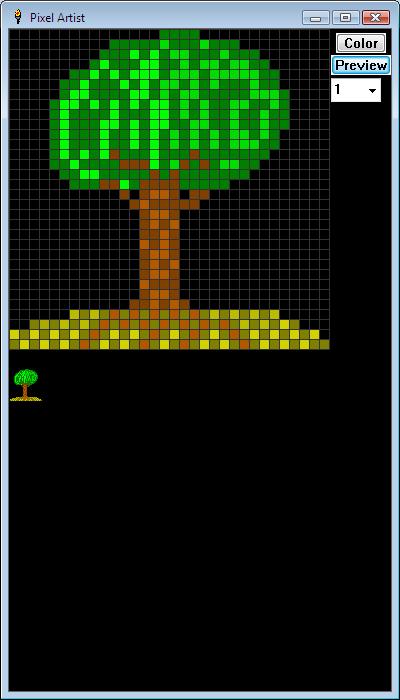
I have started to work on a simple yet helpful pixel art tool.I created it so that I can make simple graphics for my games. I wanted to share it
so that maybe someone else who just wants something that's quick an simple to
use might find it useful. If you have time, please let me know
of what you think this program might need or could use. Thanks.
Here are some snaps of things I've created with it. They are simple but interesting.
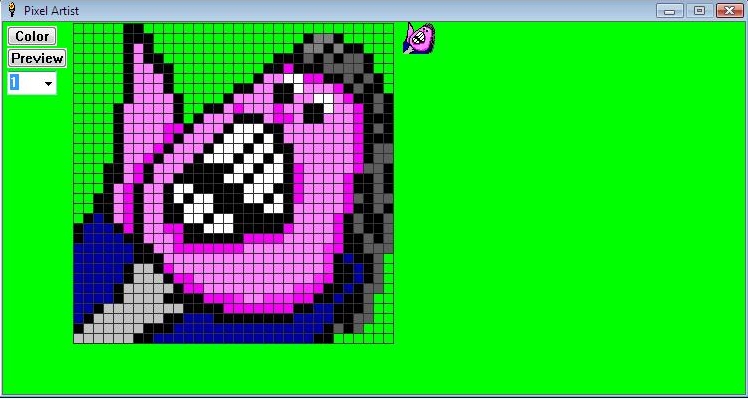
This next two are from my first version I was working on.

Download the source code below.
Bitmap Rotate Tool
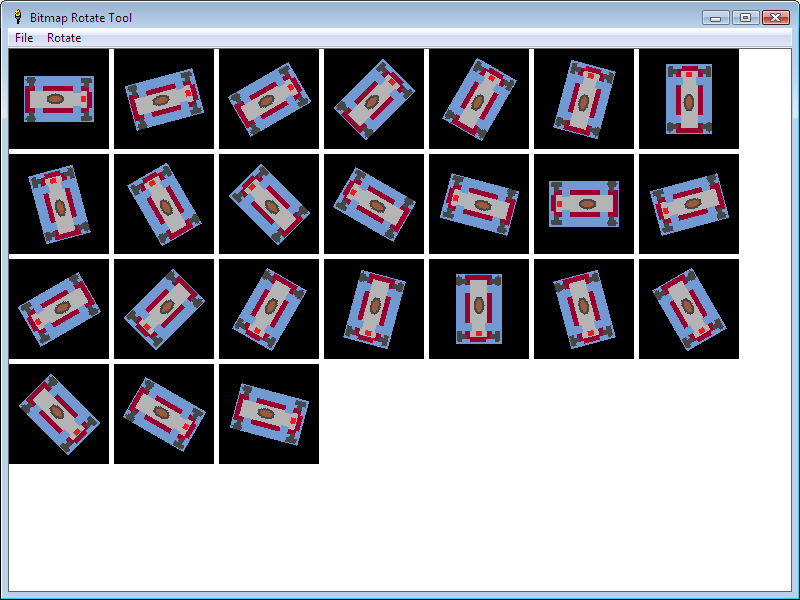
A small tool I'm working on that allows you to make a sheet of a rotated bitmap. This makes it easier for making sprites, etc.This first version is basic.

Test Drive
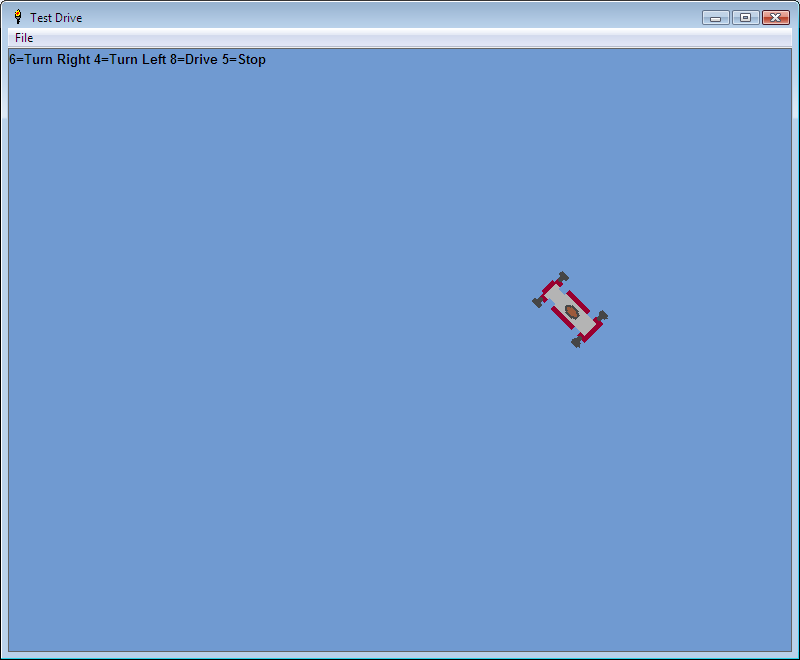
A small program to shows how you can rotate a bitmap on the fly. Using this method you can create a game with out having to make each separate direction bitmap.I will post more advanced uses as I have time.
COLORMATCH
I want to share a program I am working on, I would like to post information about it here.
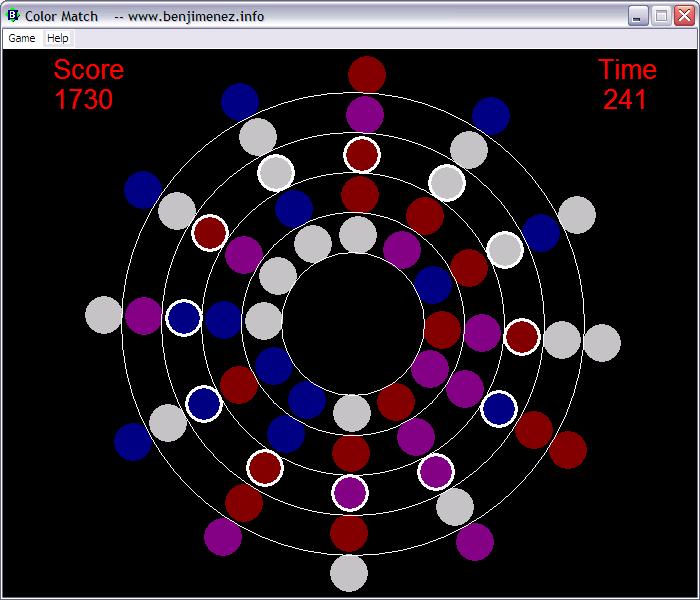
I am developing a small game, simple design, but since I need more programming experience anything I develop just helps give me more skill in my favorite past time. Ok, so I'm developing this game I call Color Match (the name for now, may change later). All you have to do in this game is match up 3 or more of the same color to earn points. Sounds easy huh, the catch is that the game board consist of 5 rings of colored circles that can be turned independently of each other. So instead of swapping two game pieces like in most other matching games this game requires that you rotate the rings in order to match up colors. As you progress through each level, the difficulty of the game increases as the game adds more colors to the game board. After a few levels it becomes more difficult to match up colors. You may notice that any color circles on the outer most rings will fall inward as you match up colors of the inner rings. This is by design. I thought it would make it more fun. I hope some find this game amusing and offer up some thoughts about how I may improve this game.
Please post any comments or suggestions here. http://basic.wikispaces.com/message/list/Ben+Jimenez
Color Match DirectX
Here is a DirectX version of the game. Use the left/right arrow keys to rotate the rings and the up/down arrow to select a ring. There is no indication as to witch ring is selected at this time. Press <Escape> any time to end game. (see screen shot below) Random 2D Rocks
You can make random shaped 2D rocks and rotate them. You can also save them to use in your
games.
Car Dodge
Use your mouse or joystick to control your car. Try to stay on the road and dodge cars as you drive to your destination.
2D Maze
Hi,Just wanted to share a simple one level game that shows a simple way to create walls/borders in your 2d game. The game has only 1 level, but it shouldn't be too hard to add more. I want to make another version using sprites, but time will determine that (free time that is).
I created this game to show an easy way to create borders or walls for your 2D games in BASIC. This game only has one level, but it should not be too hard to create more. I want to create a version using sprites, since the sprites commands do not have an easy way to create walls for your games I am attempting to come up with something that will work for me. I'd like to share what I come up with. I know this is very basic, but it's just a starting point. With the sprite version I want to try to add a more fluent movement to the sprite.
Note: Now updated so you can use your arrow keys to move the player
 'basic 2d game level wall/border example
 'using native graphic commands
 'programmed by Ben Jimenez
 'use your arrow keys to move the player
 'July 20,2011
 'upadted Oct 15,2011


 nomainwin

 WindowWidth = 470
 WindowHeight = 500

 open "Border/Wall Example" for graphics_nsb_nf as #main
 print #main, "fill white; flush"
 print #main, "font ms_sans_serif 0 16"
 #main,"up;goto 20 30;size 3;down"

 dim pxy$(22,22)

 up$= chr$(_VK_UP)
 lft$=chr$(_VK_LEFT)
 rht$=chr$(_VK_RIGHT)
 dwn$=chr$(_VK_DOWN)


 'start postion of first wall piece
 x=10
 y=20

 'draw border walls
 for r=1 to 22 'first row
 for c=1 to 22 'current row column loop
 read d$
 pxy$(r,c)=d$
 if d$="B" then 'if border piece then draw it
 #main,"up;goto ";x+20;" ";y+20;";down;backcolor blue;color blue"
 #main,"boxfilled ";x;" ";y

 end if

 if d$="s" then 'save player start position
 px=x 'set current pen x position to player start x
 py=y ' set current pen y position to player start y
 ar=r 'remember current row location
 ac=c 'remember current column locaton
 end if

 x=x+20 'increase column x location by 20
 next c
 x=10
 y=y+20 'increase row y location by 20
 next r

 #main,"flush" 'save drawn board as segment


 'draw player
 #main,"up;goto ";px+10;" ";py+10;";down;backcolor brown;color brown"
 #main,"circlefilled 6"

 #main,"when characterInput [checkkey]"


 [main.inputLoop] 'wait here for input event
 #main,"setfocus"
 wait

 [checkkey]


 key$ = left$(Inkey$, 2)

 select case right$(key$,1)
 'if wall/boarder found for next movement then no movement will be done.

 case dwn$ 'down


 if pxy$(ar+1,ac)<>"B" then 'if next location is not a wall/border then move player
 #main,"up;goto ";px+10;" ";py+10;";down;backcolor white;color white"
 #main,"circlefilled 6"

 py=py+20
 #main,"up;goto ";px+10;" ";py+10;";down;backcolor brown;color brown"
 #main,"circlefilled 6"

 ar=ar+1

 end if

 case rht$


 if pxy$(ar,ac+1)<>"B" then 'if next location is not a wall/border then move player
 #main,"up;goto ";px+10;" ";py+10;";down;backcolor white;color white"
 #main,"circlefilled 6"
 px=px+20
 #main,"up;goto ";px+10;" ";py+10;";down;backcolor brown;color brown"
 #main,"circlefilled 6"
 ac=ac+1

 end if


 case lft$


 if pxy$(ar,ac-1)<>"B" then 'if next location is not a wall/border then move player
 #main,"up;goto ";px+10;" ";py+10;";down;backcolor white;color white"
 #main,"circlefilled 6"
 px=px-20
 #main,"up;goto ";px+10;" ";py+10;";down;backcolor brown;color brown"
 #main,"circlefilled 6"
 ac=ac-1

 end if


 case up$
 if pxy$(ar-1,ac)<>"B" then 'if next location is not a wall/border then move player
 #main,"up;goto ";px+10;" ";py+10;";down;backcolor white;color white"
 #main,"circlefilled 6"
 py=py-20
 #main,"up;goto ";px+10;" ";py+10;";down;backcolor brown;color brown"
 #main,"circlefilled 6"
 ar=ar-1

 end if


 end select
 #main,"flush"
 #main,"segment n"
 #main,"delsegment ";n-2
 if pxy$(ar,ac)="e" then
 notice "You escaped the maze!"
 end if
 goto [main.inputLoop]


 'maze data
 data B,B,B,B,B,B,B,B,B,B,B,B,B,B,B,B,B,B,B,B,B,B
 data B,s,B,x,x,x,B,x,B,x,x,x,x,x,B,x,x,x,x,x,x,B
 data B,x,B,x,B,x,B,x,B,x,B,B,B,x,B,x,B,x,B,B,B,B
 data B,x,B,x,B,x,B,x,B,x,B,x,B,x,B,x,B,x,B,x,x,e
 data B,x,x,x,B,x,B,x,x,x,B,x,B,x,B,x,B,x,B,x,B,B
 data B,x,B,x,B,x,B,x,B,x,B,x,B,x,x,x,B,x,B,x,x,B
 data B,x,B,x,B,x,x,x,B,x,B,x,B,B,B,B,B,x,B,B,x,B
 data B,x,B,x,B,x,B,B,B,x,B,x,x,B,x,x,x,x,B,B,x,B
 data B,x,B,x,B,B,B,x,B,x,B,B,x,B,x,B,B,B,B,x,x,B
 data B,x,B,x,x,x,x,x,B,x,B,x,x,x,x,B,x,x,x,B,x,B
 data B,x,B,B,B,x,B,x,B,x,B,x,B,B,B,B,x,B,B,B,x,B
 data B,x,x,x,x,x,B,x,x,x,B,x,x,x,x,x,x,B,x,B,x,B
 data B,x,B,x,B,x,B,B,x,B,B,B,B,B,B,B,B,B,x,B,x,B
 data B,x,B,x,B,x,B,x,x,B,x,B,x,x,x,x,B,x,x,B,x,B
 data B,x,B,x,B,x,B,B,x,B,x,B,x,B,B,x,B,x,B,x,x,B
 data B,x,B,x,B,x,x,x,x,B,x,x,x,x,B,x,B,x,B,x,B,B
 data B,x,B,x,B,B,B,B,B,B,x,B,B,x,B,x,B,x,B,x,B,B
 data B,x,B,x,x,x,B,x,x,x,x,x,B,x,B,x,x,x,B,x,x,B
 data B,x,B,B,B,B,B,B,B,B,B,x,B,x,B,B,B,B,B,B,x,B
 data B,x,B,x,x,x,B,x,x,x,B,x,B,x,x,x,B,x,x,x,x,B
 data B,x,x,x,B,x,x,x,B,x,x,x,B,x,B,x,x,x,B,x,B,B
 data B,B,B,B,B,B,B,B,B,B,B,B,B,B,B,B,B,B,B,B,B,B